
AI Image Stretcher. No distortion
Say goodbye to warped faces and squeezed layouts.
Image Stretcher extends backgrounds intelligently. so every person and product keeps natural proportions while reinforcing your Image Stretcher brand visuals.
✨ No account needed — try it free
What is Image Stretcher
Image Stretcher is an AI-powered resizing tool that extends backgrounds, protects subjects, and delivers pixel-perfect images for every channel.
- Content-aware stretchingAnalyze textures, lighting, and composition so new pixels blend seamlessly with the original scene.
- Subject protectionLock focus on people, products, or key objects to keep proportions intact at any aspect ratio.
- Preset-ready outputsGenerate the exact sizes you need for social posts, ads, hero banners, and more in seconds.
Why Choose Image Stretcher
Extend canvases with confidence—no more warped subjects or rushed Photoshop edits.
How Image Stretcher works
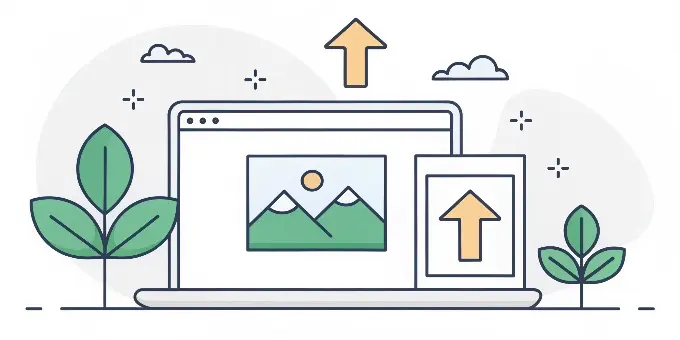
Get flawless, resized images in three simple steps:
Powerful AI features for flawless images
Everything you need to resize photos without sacrificing quality.
Subject lock
Automatically identify people, products, and focal points to keep them distortion-free.
Seamless background extension
Generate brand-new pixels that match lighting, texture, and depth for a natural finish.
Orientation control
Flip from horizontal to vertical (and back) without losing composition.
Safe area guides
Optional overlays help you plan headlines, CTAs, and logos within the new canvas.
Multiple preset packs
Instantly match Instagram, YouTube, TikTok, Pinterest, ads, and more.
Before/after preview
Compare original and stretched versions with an interactive slider.
Creators love Image Stretcher
See how teams protect subjects and expand backgrounds in seconds.
Sofia Martinez
Social Media Manager
“Total lifesaver. I repurpose one photo for every channel and our models never look squished anymore.”
Arjun Patel
E-commerce Founder
“Our product shots finally match the storefront layout. Background fill is clean and conversions went up.”
Mia Chen
Brand Designer
“Clients send cramped shots all the time. Safe area guides give me room for typography instantly.”
Noah Singh
Videographer
“Switching orientations for thumbnails used to wreck faces. Now the subject lock keeps everyone natural.”
Emily Rhodes
Marketing Lead
“We reuse campaign photography across markets in minutes instead of retouching everything from scratch.”
Ezra Malik
Event Producer
“Background extension lets me add signage and sponsor logos without awkward cloning artifacts.”
Image Stretcher FAQ
Need help? Email us at support@imagestretcher.com.
How does Image Stretcher protect my subject?
We detect people, products, and focal objects first, then expand only the background so proportions stay untouched.
What information should I provide?
Upload your image, pick a preset or enter dimensions, and add quick notes about the background or elements you want protected.
Can I control how much the background expands?
Yes. Choose subtle, moderate, or extended expansion levels, or define an exact canvas size to match your layout.
What file types are supported?
Upload JPG or PNG images up to 20 MB. Exported files match your target size in lossless quality.
Can I preview before downloading?
Use the interactive before/after slider to inspect the stretch and confirm everything looks natural.
What happens when I hit the daily limit?
Free plans include a set number of stretches per day. The counter resets at midnight, or you can upgrade for more capacity.
Ready to make every image fit any layout?
Stretch backgrounds, keep subjects pristine, and publish instantly across every channel with Image Stretcher.